

Org dashboard
The Metrics page in the organization sidebar covers your deployment history. The numbers come from deployment records rather than sampling, so they are exact.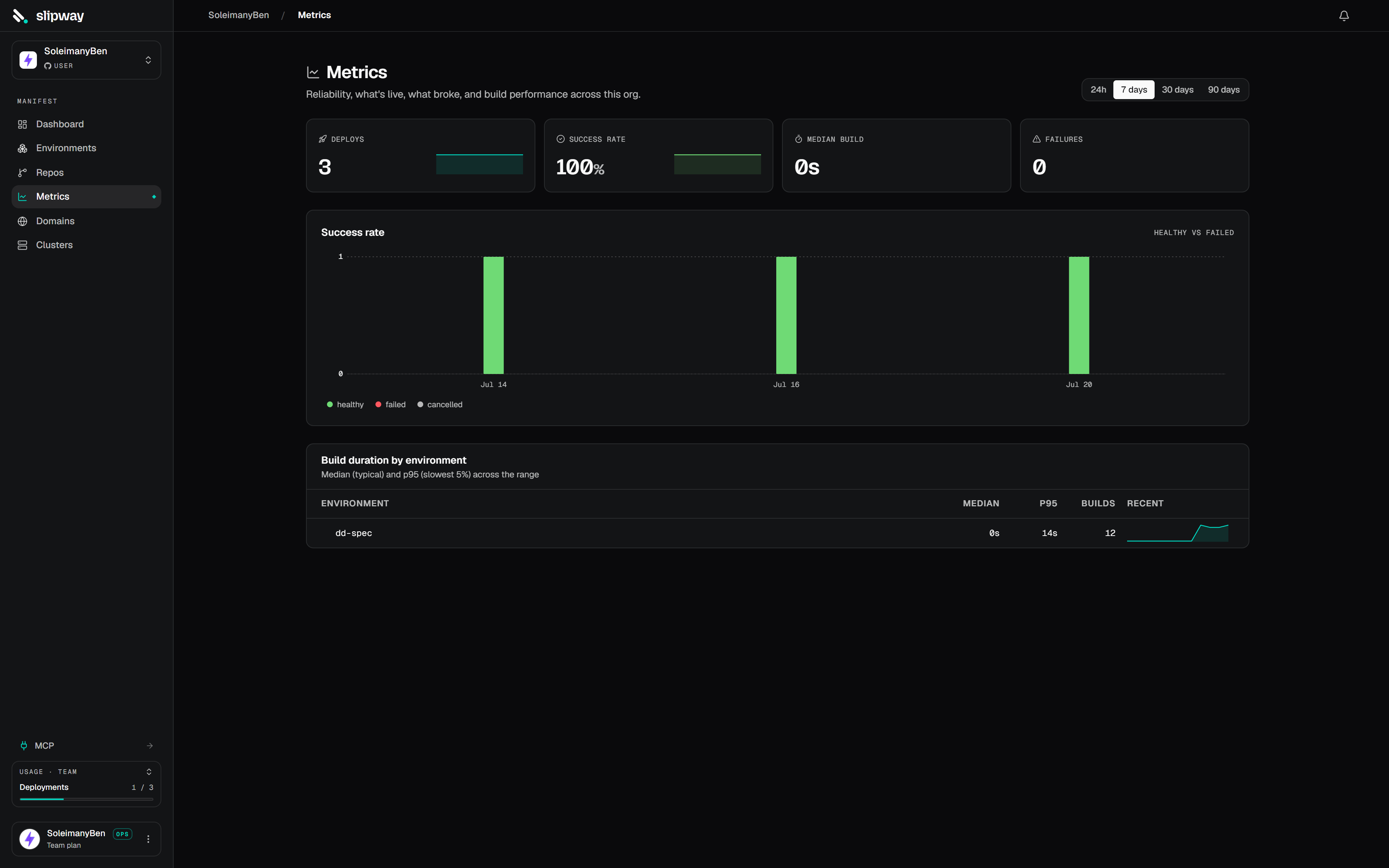
The org Metrics dashboard: deploys by trigger, success rate, failures, build times, top repos, and active deployments.
Pick a window of 24 hours, 7 days, 30 days or 90 days. All tiles share it. Only completed deployments count, so in-flight ones do not appear in the success-rate or failure tiles until they finish.
Project resource usage
Every project’s page has a Metrics tab showing CPU, memory and request throughput over time, as a total line plus a breakdown per service or per pod. Sampling is always on, the first points appear within a minute of a deploy, and 30 days of history are kept.- CPU is actual usage in millicores (1000m = 1 core), not the request or limit.
- Memory is the container working set.
- Requests is throughput at the public edge, split by status class, so a deploy that starts erroring is visible at a glance. Service-to-service calls inside the project do not pass the edge and are not counted.
- Network egress is the bytes each service sent through the edge, as a total line and one per service. WebSocket and other long-lived connections are included; traffic between services inside the project is not.
Service metrics
Every service has its own Metrics tab under Monitor, showing the same window picker and the blocks that apply to it:
Which blocks appear depends on what the service can actually produce:
- Web services get everything. Latency, egress and requests are measured at the edge, so they cover external traffic only. Egress counts WebSocket traffic as well as ordinary responses.
- Internal services, workers and cron jobs get memory and CPU. They have no public hostname, so nothing measures latency or egress for them.
- Managed databases get memory, CPU, active connections and disk.
- Disk usage appears for any service that mounts a disk, and always for a database.
- Static sites have no Metrics tab, because they run no pods. Their edge traffic is measured separately: see Static sites.
How far back you can look
Your plan sets how far back metrics and logs can be read. Windows longer than that carry a lock in the picker, and clicking one explains what a higher plan reaches. Storage does not change with your plan. Samples and log lines are kept for the full 30 days regardless, and the plan bounds the query only. Upgrading shows the older history straight away with no backfill, and downgrading hides history rather than deleting it. One number covers both metrics and logs. Your current limit is on the Billing page, and every plan’s is on Plans.Projects on a cluster you bring are not sampled, so their Metrics tab is empty. Disk usage also needs a cluster agent recent enough to report volume statistics; an older agent leaves that block empty while the rest keep working.