

After
healthy, a deployment ends in one of three states.
See Statuses and events for every value, and
Troubleshooting when one goes wrong.
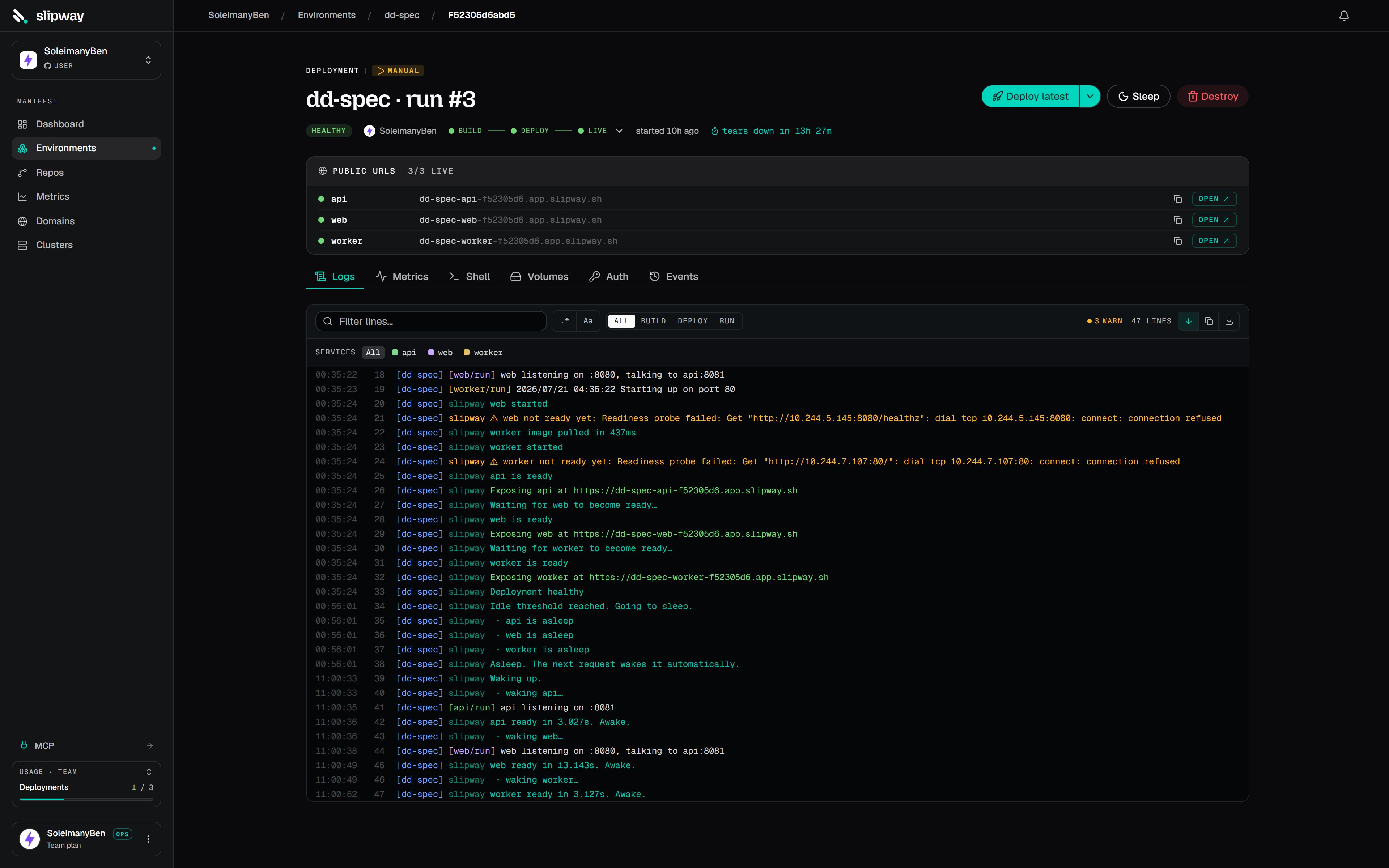
A deploy in progress on the service's Logs tab. The phase ladder in the header tracks the steps above.
One push, one deployment per service
A push produces a deployment for every service it ships, and they run in parallel. What that buys you:- Failure stays local. If
web’s build breaks,apianddbstay healthy and keep serving. The project reads as degraded, and the failure names the service that broke. - Every service has its own history. Its deploys, its logs, its events and its rollbacks are its own — a service page shows only its own runs.
- Rollback and redeploy are per service. Rolling
apiback to yesterday’s commit leaveswebexactly where it is.
Triggers
Every row in a project’s deploy history names who caused it and which branch it deployed.
Auto-deploy on push
A project created from a single repository has auto-deploy on: a push to the tracked branch rebuilds it in place and cancels any in-flight deploy for the same branch, so the newest commit wins. Sources added to a multi-repo project default to off, so a push leaves the deploy pinned at the commit you deployed. Turn it on per source under the project’s Settings → General. The project header shows an “auto-updates on push” or “pinned” chip, so which behaviour you are getting is always visible. To deploy only when relevant files change, see Monorepos.Manual deploys
Build caching
Builds are content-addressed. The image tag is derived from the commit plus a hash of the build inputs (rootDir, dockerfilePath, dockerTarget, buildArgs) and of the service’s
env, since the build can read it. If an earlier deploy of the same commit produced the same
inputs, slipway reuses the cached image and skips the build, which is what makes a redeploy
cheap. Changing an environment value and redeploying builds a fresh image, and the steps
that read the value run again.
When a build does run, it reuses the layer cache from that service’s previous build, so
only changed layers are rebuilt. The cache is shared per repository rather than per
project, so any project deploying the same repo starts warm.
Rebuilding without the cache
Open the dropdown beside Deploy latest and choose Rebuild without cache. Use it when a base image moved under a floating tag, or a build looks stale in a way you cannot explain. This runs every build step again and ignores the image slipway already holds for the current commit. Both halves matter: without the second, slipway would find a finished image for that commit and skip the build entirely.In a project with several repositories, the dialog lets you choose which to rebuild. Cold
building every repo when one is misbehaving costs minutes for nothing.
Cutover
For a public service, slipway waits for readiness, makes the URL live, and records acutover event. When a newer build for the same branch reaches healthy, the previous one
becomes superseded.
If the new build exits as soon as it starts, cannot be pulled, or nothing listens on the
service’s declared port within five minutes, the deploy fails instead. The reason is
recorded on the deployment and shown on its row in the Events feed, together with the
commit that is still live. Nothing is superseded by a build that never answered.
What a failed deploy leaves at the URL is a per-service setting, Settings → Failed
deploys:
- Keep the last working version serving (the default): the version that was serving stays up and the service is rolled back onto it, so a broken push never takes a working service down. While the two differ, the service header and the project grid name the commit that is serving next to the one that failed.
- Off: the previous version is taken down as well, so the failure shows at the URL instead of hiding behind old code. Use it for a staging service, or when old code must not keep running after a migration.
Teardown
A live deployment has a Tear down action that reclaims just that source’s services and URLs, leaving siblings untouched. Tearing down the whole project from its Danger zone removes every service, every URL and the project’s namespace. Either way the deployment rows stay in history. slipway also tears down automatically when a newer deploy supersedes a branch. If the platform restarts mid-deploy, that deployment is markedfailed and can be redeployed from
its page.