> ## Documentation Index
> Fetch the complete documentation index at: https://docs.slipway.sh/llms.txt
> Use this file to discover all available pages before exploring further.
# Repository settings
> Enable a repo, control PR comments, and gate previews with authentication.
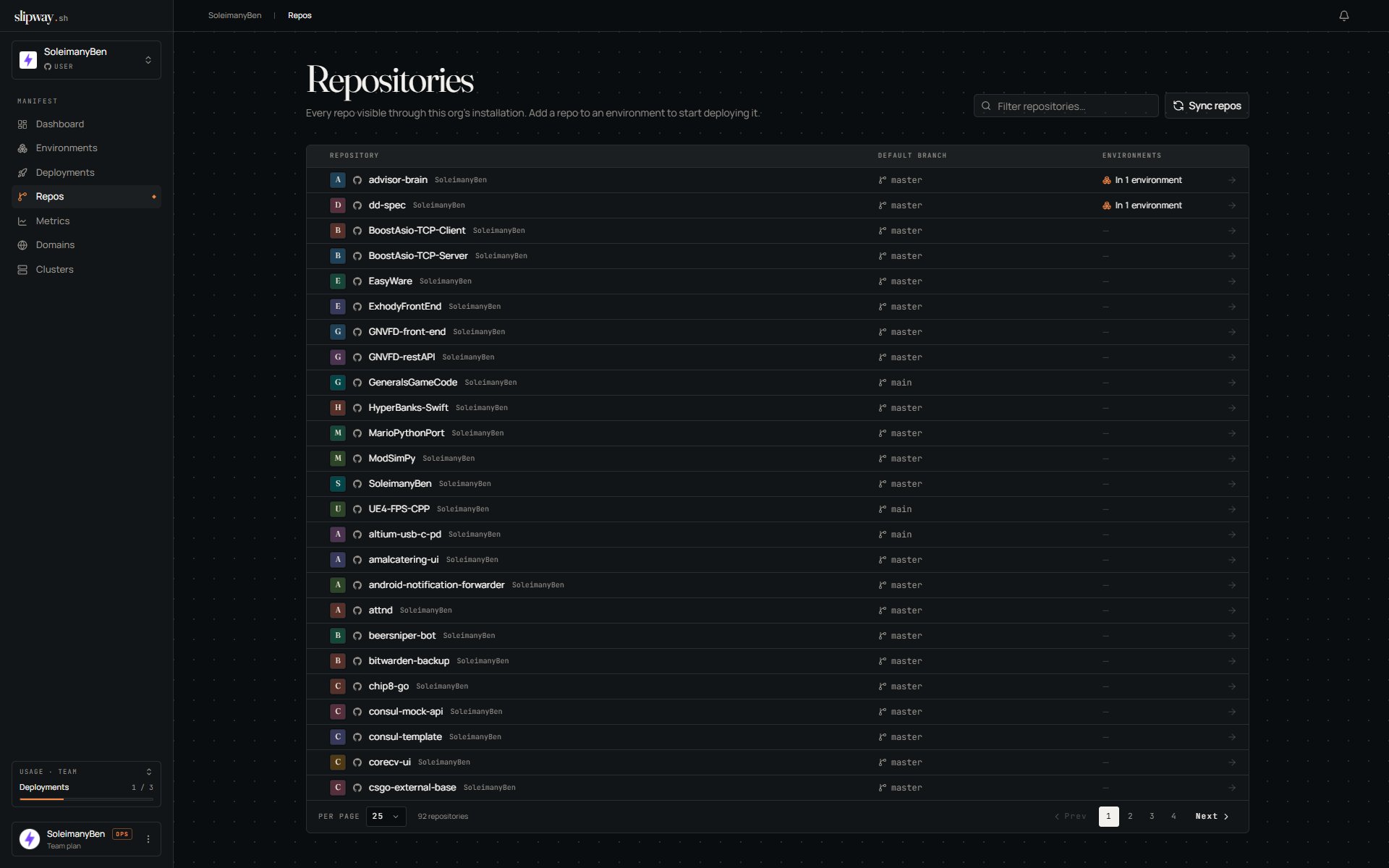
Every repo in your installation appears under **Repos**. You decide which ones slipway deploys and how each behaves.
 ## Deploying a repo
A repo starts deploying once it's part of an [environment](/environments/overview). On the repo's page, click **Add to an environment** — the composer opens with the repo already added; name the environment and create it. Slipway validates `slipway.yaml` along the way, so a missing or invalid spec is caught up front. From then on, pull requests build previews automatically, and you can deploy the default branch from the environment.
Repos you didn't grant during install are invisible to slipway; if you grant more later, slipway picks them up automatically (or force it with **Settings → Integrations → Sync repos**).
Manual deploys and pushes are scoped to the default branch by design — feature-branch previews happen through pull requests.
## PR comments
On by default. Slipway keeps a single comment in the PR thread, edited in place across commits so you never get a wall of them:
* **🔁 Rebuilding** — a new commit landed; the old URL stays until the new build cuts over.
* **✅ Live** — healthy, with the URL and commit.
* **❌ Failed** — with the reason.
* **🗑 Torn down** — the PR closed.
Turn it off on the repo's page if your reviewers prefer a quieter thread.
## Commit checks
Alongside the comment, every push to the default branch and every PR deploy reports a **slipway** check straight on the commit — a check run on GitHub, a commit status on GitLab. It shows in the PR's checks list and next to the commit:
* **Yellow** while the build and deploy are running (click **Details** to watch it live).
* **Green** when it's healthy, listing the public URLs.
* **Red** when the build or deploy fails, with the reason.
* **Grey** if a newer commit superseded it before it finished.
The check is the reliable signal for a *failed* push: a new red check notifies you, whereas the comment is edited in place and stays silent. Manual and CLI dev deploys don't post a check — you're already watching those. Checks follow the same on/off switch as PR comments.
## Preview authentication
Preview URLs are public by default. Gating them is configured per environment, not per repo — see [Preview authentication](/environments/overview#preview-authentication) on the environment's **Preview auth** tab.
## Notifications
Subscribe a repo to Slack, Discord, or webhook channels and choose which events fire — see [Notifications](/configuration/notifications).
## Deploying a repo
A repo starts deploying once it's part of an [environment](/environments/overview). On the repo's page, click **Add to an environment** — the composer opens with the repo already added; name the environment and create it. Slipway validates `slipway.yaml` along the way, so a missing or invalid spec is caught up front. From then on, pull requests build previews automatically, and you can deploy the default branch from the environment.
Repos you didn't grant during install are invisible to slipway; if you grant more later, slipway picks them up automatically (or force it with **Settings → Integrations → Sync repos**).
Manual deploys and pushes are scoped to the default branch by design — feature-branch previews happen through pull requests.
## PR comments
On by default. Slipway keeps a single comment in the PR thread, edited in place across commits so you never get a wall of them:
* **🔁 Rebuilding** — a new commit landed; the old URL stays until the new build cuts over.
* **✅ Live** — healthy, with the URL and commit.
* **❌ Failed** — with the reason.
* **🗑 Torn down** — the PR closed.
Turn it off on the repo's page if your reviewers prefer a quieter thread.
## Commit checks
Alongside the comment, every push to the default branch and every PR deploy reports a **slipway** check straight on the commit — a check run on GitHub, a commit status on GitLab. It shows in the PR's checks list and next to the commit:
* **Yellow** while the build and deploy are running (click **Details** to watch it live).
* **Green** when it's healthy, listing the public URLs.
* **Red** when the build or deploy fails, with the reason.
* **Grey** if a newer commit superseded it before it finished.
The check is the reliable signal for a *failed* push: a new red check notifies you, whereas the comment is edited in place and stays silent. Manual and CLI dev deploys don't post a check — you're already watching those. Checks follow the same on/off switch as PR comments.
## Preview authentication
Preview URLs are public by default. Gating them is configured per environment, not per repo — see [Preview authentication](/environments/overview#preview-authentication) on the environment's **Preview auth** tab.
## Notifications
Subscribe a repo to Slack, Discord, or webhook channels and choose which events fire — see [Notifications](/configuration/notifications).