> ## Documentation Index
> Fetch the complete documentation index at: https://docs.slipway.sh/llms.txt
> Use this file to discover all available pages before exploring further.
# Private registries
> Configure pull credentials for private container registries.
If your `slipway.yaml` references a private image — via `services.*.image` or via a base image in a private registry — slipway needs credentials to pull it. Configure them once at the org level; no per-service config is required.
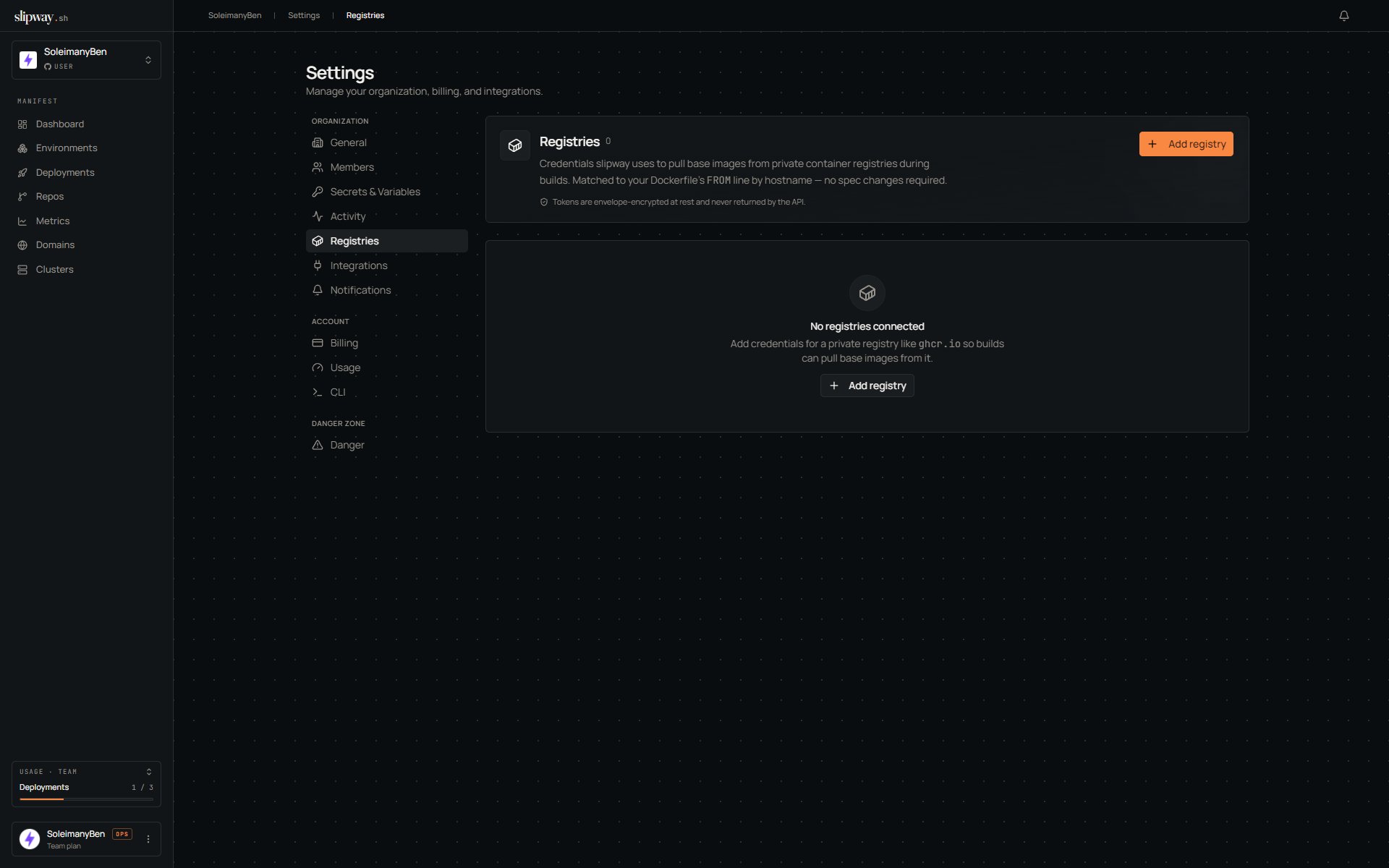 ## Add a registry
Open **Settings → Registries**, click **Add registry**, and enter the host, username, and password (or token). Slipway stores the credentials encrypted, alongside the org's other secrets.
## How they're used
At deploy time, slipway wires every registry you've configured into both the build and the running container, so private base images and prebuilt private images both pull cleanly. The deploy emits a `registries_resolved` event with the list of hosts wired up for that run.
## Common registries
| Registry | Hostname | Username | Password |
| ------------------------- | --------------------------------------- | --------------------------------------- | ------------------------------------------------------------------------------------ |
| Docker Hub | `index.docker.io` | your Docker Hub username | a Docker Hub access token |
| GitHub Container Registry | `ghcr.io` | your GitHub username | a personal access token with `read:packages` |
| Amazon ECR | `.dkr.ecr..amazonaws.com` | `AWS` | the output of `aws ecr get-login-password` (note: rotates every 12 hours, see below) |
| Google Artifact Registry | `-docker.pkg.dev` | `_json_key` | the full JSON of a service-account key |
| Azure Container Registry | `.azurecr.io` | your service principal ID or admin user | the corresponding password |
Amazon ECR tokens expire every 12 hours, so a stored `get-login-password` value needs rotating twice a day — GHCR and Docker Hub avoid that with long-lived credentials.
## Permissions
| Role | View hosts | View passwords | Create / update / delete |
| --------- | ---------- | -------------- | ------------------------ |
| Viewer | yes | no | no |
| Developer | yes | no | no |
| Admin | yes | no | yes |
| Owner | yes | no | yes |
## Add a registry
Open **Settings → Registries**, click **Add registry**, and enter the host, username, and password (or token). Slipway stores the credentials encrypted, alongside the org's other secrets.
## How they're used
At deploy time, slipway wires every registry you've configured into both the build and the running container, so private base images and prebuilt private images both pull cleanly. The deploy emits a `registries_resolved` event with the list of hosts wired up for that run.
## Common registries
| Registry | Hostname | Username | Password |
| ------------------------- | --------------------------------------- | --------------------------------------- | ------------------------------------------------------------------------------------ |
| Docker Hub | `index.docker.io` | your Docker Hub username | a Docker Hub access token |
| GitHub Container Registry | `ghcr.io` | your GitHub username | a personal access token with `read:packages` |
| Amazon ECR | `.dkr.ecr..amazonaws.com` | `AWS` | the output of `aws ecr get-login-password` (note: rotates every 12 hours, see below) |
| Google Artifact Registry | `-docker.pkg.dev` | `_json_key` | the full JSON of a service-account key |
| Azure Container Registry | `.azurecr.io` | your service principal ID or admin user | the corresponding password |
Amazon ECR tokens expire every 12 hours, so a stored `get-login-password` value needs rotating twice a day — GHCR and Docker Hub avoid that with long-lived credentials.
## Permissions
| Role | View hosts | View passwords | Create / update / delete |
| --------- | ---------- | -------------- | ------------------------ |
| Viewer | yes | no | no |
| Developer | yes | no | no |
| Admin | yes | no | yes |
| Owner | yes | no | yes |